macOS · Native · Lifetime license

I just wanted to
rename the tabs.

A real terminal where you can name your tabs,
keep notes right beside them, and reopen your workspace exactly where you left it.

  • // A terminal with memory for AI developers
  • // Built because Terminal wouldn't let me rename the tabs
  • // Your notes live where your work lives
~ — -zsh
~ — -zsh
~ — -zsh
~ — -zsh
← sound familiar?
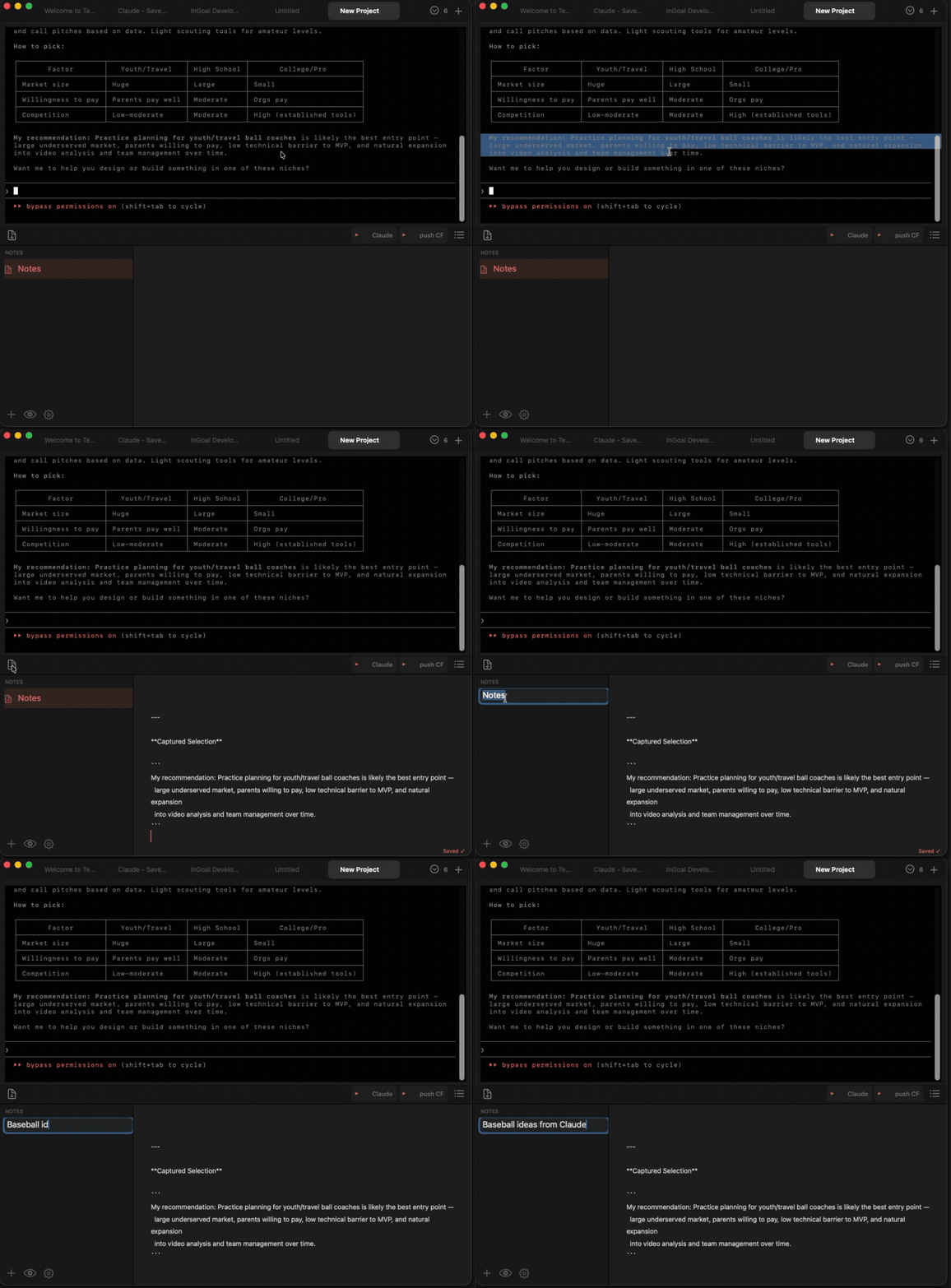
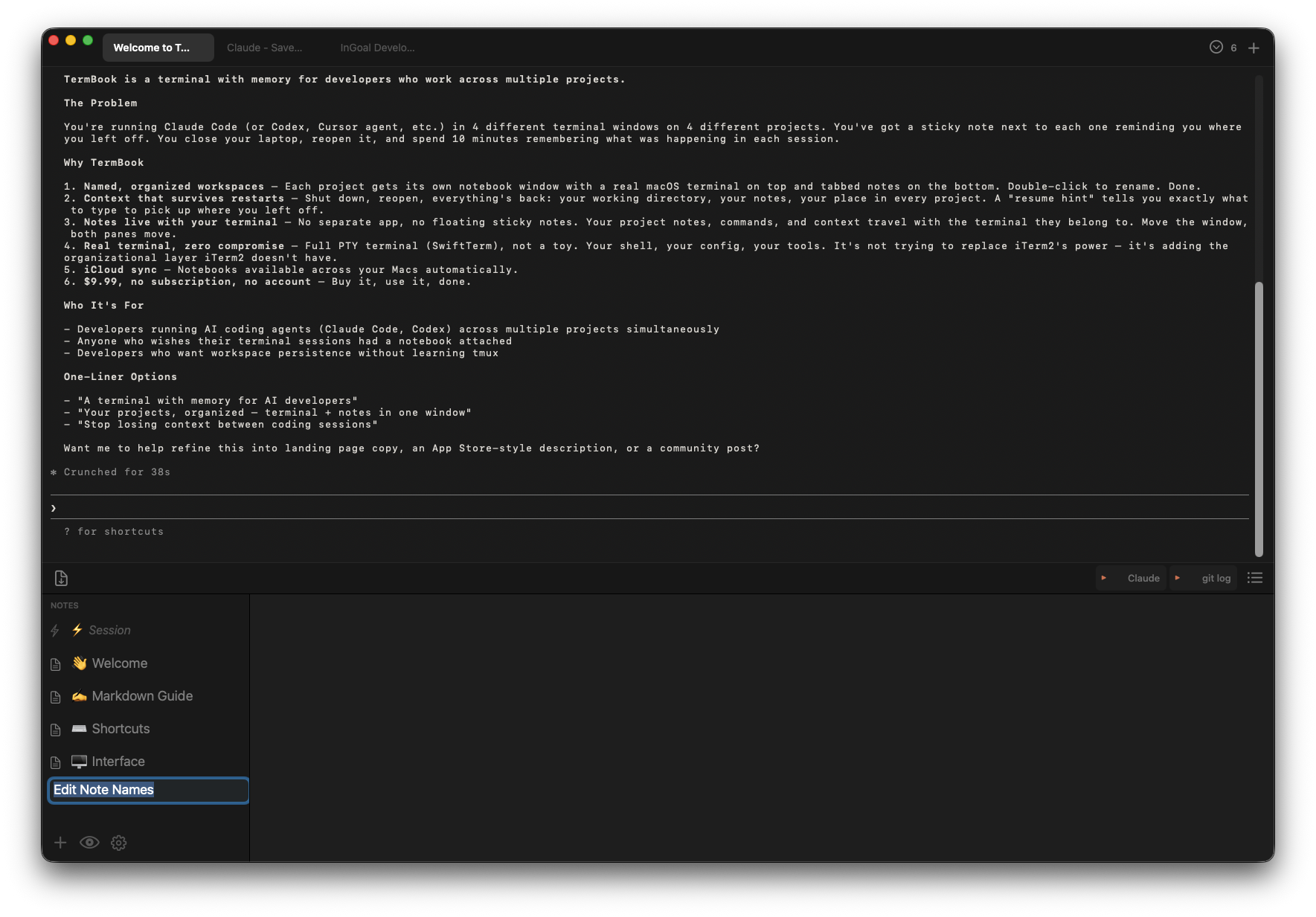
TermBook — terminal on top, named tabs, notes below

"I had too many Claude Code sessions open and couldn't tell them apart. So I built this — a real terminal where you can name the tabs and keep your notes right there beside them."

Now → Free first 50 downloads
30 days → $9.99 early adopter · lifetime
After → $19.99 full price · lifetime
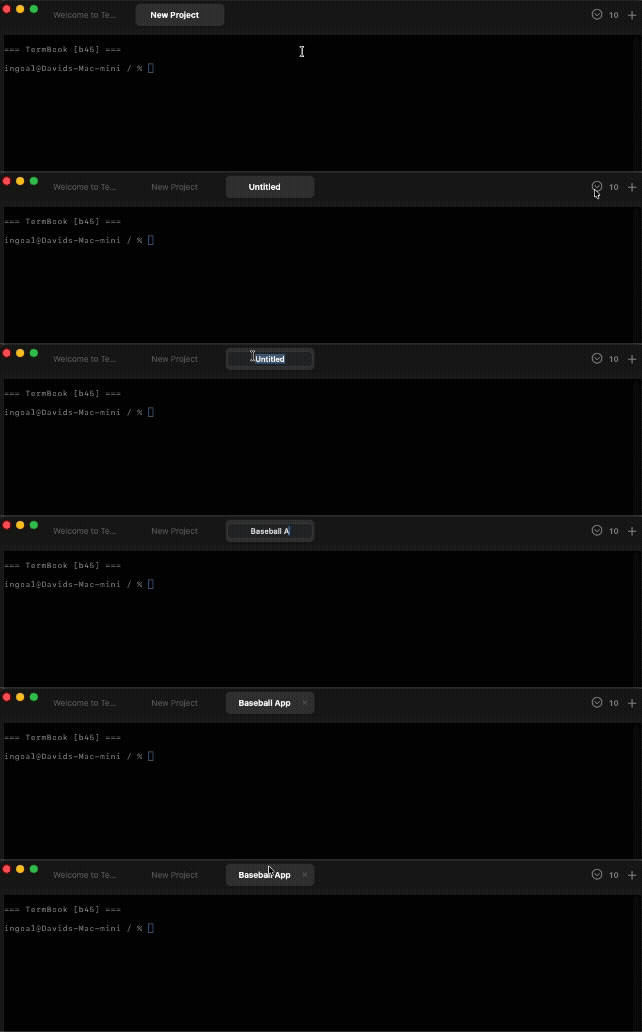
✏️Rename any terminal tab — double-click, type a name, done
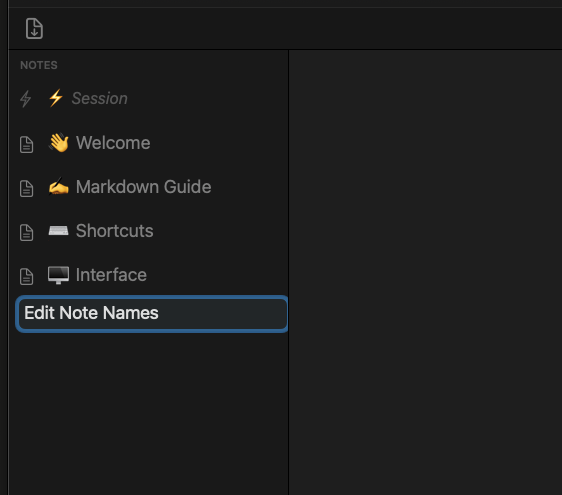
📓Notes live beside your terminal — not somewhere else. Right there.
QuickPrompt — save your commands, fire them into the terminal in one click
📋QuickCopy — Cmd+Shift+D sends terminal output to notes. Grabs last response if nothing selected.
🔄Reopens where you left off — notebooks, directory, and context all restored
// How this happened

Six sessions open. All called "zsh". I finally got annoyed enough to fix it.

I run Claude Code across multiple projects at once — four or five terminal sessions all running in parallel, all named ~ — -zsh. ~ — -zsh. ~ — -zsh. Which one is which? You click around until you find it.

All I wanted was to rename the tab. Terminal wouldn't do it. So I had actual sticky notes on my screen just to keep track. Eventually I got annoyed enough to build something.

While I was at it, I added notes — a tabbed notebook that lives below the terminal, always right there. Then I kept forgetting my Claude Code commands, so I'd switch to the Claude app, ask, copy the answer, paste it back. Every time. So I added QuickPrompt — one-click buttons that fire saved commands straight into the terminal.

Then I'd get useful feedback from Claude and need to save it somewhere. I was copying it into text files, which felt ridiculous. So I added QuickCopy: hit Cmd+Shift+D and terminal output lands in your notes instantly. Nothing selected? It grabs the last response automatically.

I just kept solving the next small annoyance. Maybe you have the same ones.
What you get.

✏️
Rename your terminals
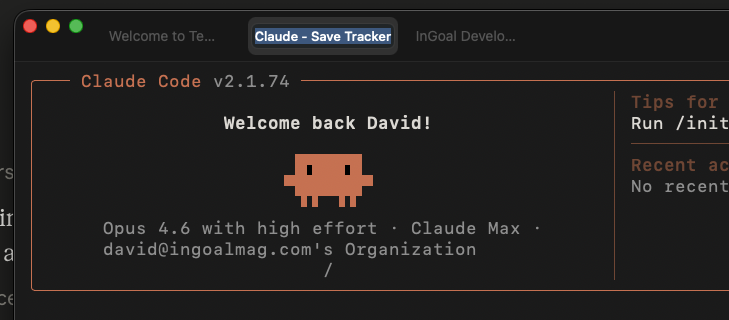
Double-click any tab and give it a real name. "InGoal Dev", "Claude Code", "Git". The whole reason this app exists.
Double-click a tab to rename it
📓
Notes pane — always there
A tabbed notebook sits below every terminal. Multiple tabs per notebook. Markdown. Auto-saves as you type. Drag the divider to give either side more room.
📋
QuickCopy
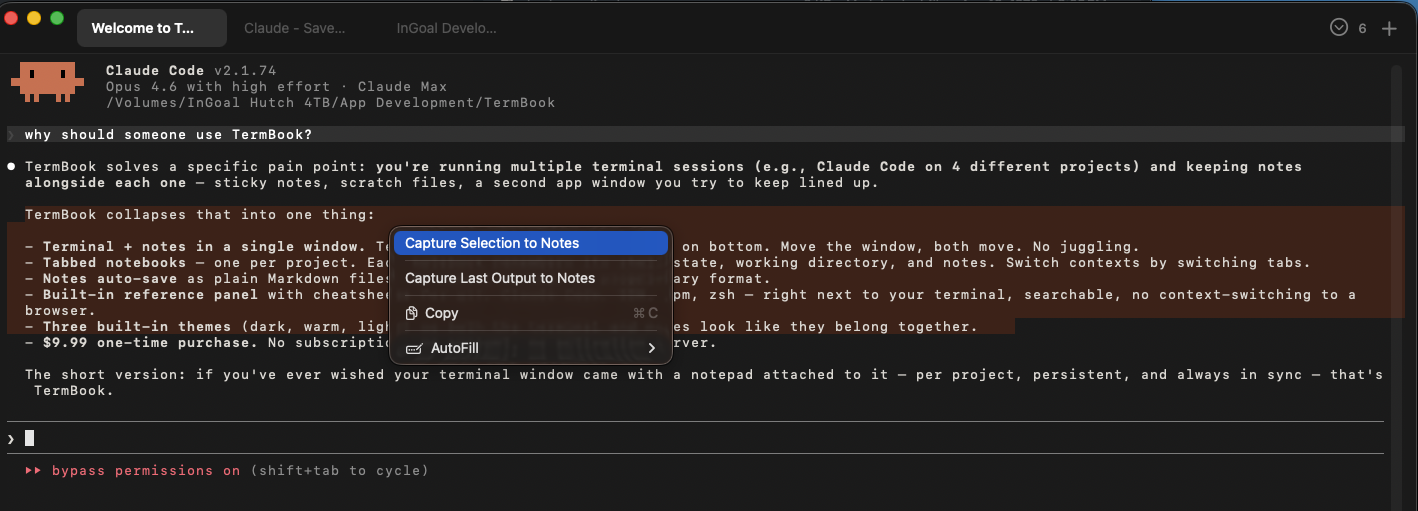
Highlight terminal output and hit Cmd+Shift+D — it lands straight in your notes. Nothing highlighted? It grabs the last response automatically. No copy-paste, no switching apps.
QuickCopy — Cmd+Shift+D sends terminal output to notes
QuickPrompt
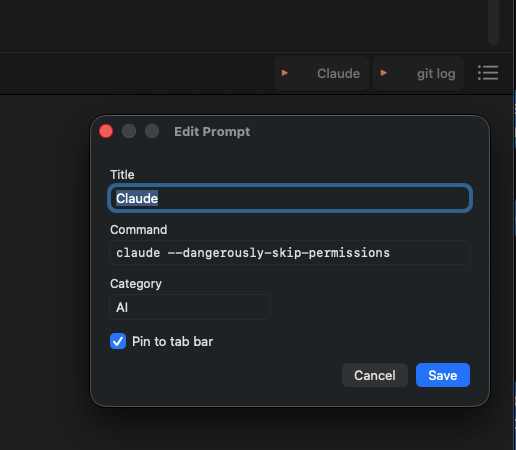
Save the commands you reach for constantly. Pin them to the tab bar and fire them into the terminal in one click — no switching apps, no copy-pasting from somewhere else.
claude --dangerously-skip-permissions
git push origin main
npm run dev
🔄
Session restore
Close TermBook, reopen it — your notebooks are back, your last directory is back, and your notes have what you need to pick up where you left off.
🔒
100% Local-First
Your terminal history, notes, and prompts live on your machine. Nothing goes anywhere you didn't ask for. iCloud sync is opt-in, notes only — scrollback never leaves your Mac.
⬡ No account · No server · No tracking
🗄️
Archive notebooks
Done with a project? Archive the notebook. Tidy without deleting. Reopen anytime.
🎨
Three themes
Obsidian Dark, Claude Warm, Editorial Light. Each is a complete visual system, not just a colour swap. Change in Settings.
// See it

What it actually looks like.

TermBook full window
The full picture — terminal on top, tabbed notes below. One window, everything in one place.
Named terminal tabs
Named tabs — finally know what's running in each session without clicking around.
Prompt library
Prompt library — save, name, and pin your most-used commands to the tab bar.
Capture to notes
Capture to notes (Cmd+Shift+D) — terminal output lands straight in your notebook.
Session context in notes
Session context stays with the terminal — not buried somewhere you have to go find it.
// Three themes

Find your light.

$ claude
Obsidian Dark
near-black · indigo accent
$ git push
Claude Warm
warm dark · amber accent
$ vim notes.md
Editorial Light
warm cream · dark terminal
// Pricing

Simple. Honest. Yours forever.

Happening Now
Free
no cost · no catch
First 50 downloads. Full app, all features, no expiry.
30 Days After Launch
$9.99
one-time · lifetime
Early adopter price once the free slots fill. Real money, but not a lot of it.
Full Price
$19.99
one-time · lifetime
After the launch window. Still one-time. No subscription. No account. Ever.
Why the first 50 are free — honestly.

I'm giving the first 50 copies away because I'd genuinely love for you to try TermBook and tell me what you think. Not a review — just an honest "this worked" or "this didn't." That feedback is worth more to me right now than the $9.99.

After that, it's $9.99 for the first 30 days, then $19.99. Both are lifetime purchases — no subscription.

I'm not trying to build a big company here. I built TermBook to solve a problem I had. But if it becomes something you reach for every day, I'd appreciate it helping cover a few hours of the time that went into building it. I'll keep improving it as long as people find it useful.

That's the whole ask.

Download free — first 50
// Under the hood

Built the right way.

SpecDetail
ArchitectureUniversal Binary Native Apple Silicon + Intel
Terminal engineFull PTY — real shell, not a wrapper or emulator
Notes storagePlaintext Markdown · local SQLite index · your files, your format
SynciCloud (opt-in, notes only) — scrollback is always local
PrivacyNo account. No analytics. No network calls you didn't initiate.
macOSMonterey 12.0+ required · Ventura, Sonoma, Sequoia fully supported
LicenseLifetime purchase — all v1.x updates included, no subscription